JavaJNI调用C/C++代码

记于:2024-04-14
地点:浙江省·温州市·家里
天气:阴雨

背景#

因为一个项目需要Java JNI调用C++ SDK,只有编译好的Windows DLL,没有对应的源码。

测试#

简单demo#

JniTest.java

1
2
3
4
5
6
7
8
9
10
11
12
13
14
15
16
17
18
19
20
21
22
23
24
25
26
27
28
29
30
31
32
33
34
35
36
37
38
39
40
41
42
43
44
45
46
47
48
49
50
51
52
53
54
55
56
57
58
59
package com.yeshimin.test.jni;

import java.lang.reflect.Field;
import java.util.Arrays;

public class JniTest {

// 设置dll加载路径
static {
try {
String path = "C:\\Users\\ysd\\IdeaProjects\\test\\dll";
// 无效
// System.setProperty("java.library.path", path);
// 需要使用这种方式
// 参考:https://fahdshariff.blogspot.com/2011/08/changing-java-library-path-at-runtime.html
addLibraryPath(path);
} catch (Exception e) {
throw new RuntimeException(e);
}

System.loadLibrary("jnitest");
}

/**
* Adds the specified path to the java library path
*
* @param pathToAdd the path to add
* @throws Exception
*/
public static void addLibraryPath(String pathToAdd) throws Exception {
final Field usrPathsField = ClassLoader.class.getDeclaredField("usr_paths");
usrPathsField.setAccessible(true);

// get array of paths
final String[] paths = (String[]) usrPathsField.get(null);

// check if the path to add is already present
for (String path : paths) {
if (path.equals(pathToAdd)) {
return;
}
}

//add the new path
final String[] newPaths = Arrays.copyOf(paths, paths.length + 1);
newPaths[newPaths.length - 1] = pathToAdd;
usrPathsField.set(null, newPaths);
}

// ================================================================================

// 本地方法
private static native String sayHello(String name);

public static void main(String[] args) {
String result = sayHello("ysm");
System.out.println("result: " + result);
}
}

生成本地方法对应的C++代码的头部文件;
可以使用javah或javac(jdk版本>=9)命令;
com_yeshimin_test_jni_JniTest.h

1
2
3
4
5
6
7
8
9
10
11
12
13
14
15
16
17
18
19
20
21
/* DO NOT EDIT THIS FILE - it is machine generated */
#include <jni.h>
/* Header for class com_yeshimin_test_JniTest */

#ifndef _Included_com_yeshimin_test_jni_JniTest
#define _Included_com_yeshimin_test_jni_JniTest
#ifdef __cplusplus
extern "C" {
#endif
/*
* Class: com_yeshimin_test_jni_JniTest
* Method: sayHello
* Signature: (Ljava/lang/String;)Ljava/lang/String;
*/
JNIEXPORT jstring JNICALL Java_com_yeshimin_test_jni_JniTest_sayHello
(JNIEnv *, jclass, jstring);

#ifdef __cplusplus
}
#endif
#endif

接下需要根据头部文件中函数定义进行实现
JniTest.c

1
2
3
4
5
6
7
8
9
10
11
12
13
14
15
16
17
18
19
20
21
22
#include "com_yeshimin_test_jni_JniTest.h"
// <jni.h>里已包含<stdio.h>

/*
* Class: com_yeshimin_test_jni_JniTest
* Method: sayHello
* Signature: (Ljava/lang/String;)Ljava/lang/String;
*/
JNIEXPORT jstring JNICALL Java_com_yeshimin_test_jni_JniTest_sayHello
(JNIEnv *env, jclass cls, jstring j_str) {

const char *c_str = NULL;
char buff[128] = {0};
c_str = (*env)->GetStringUTFChars(env, j_str, NULL);
if (c_str == NULL) {
printf("out of memory\n");
return NULL;
}
sprintf(buff, "Hello, %s\n", c_str);
(*env)->ReleaseStringUTFChars(env, j_str, c_str);
return (*env)->NewStringUTF(env, buff);
}

编译

1
2
3
4
5
6
# 编译JniTest.c,输出jnitest.dll,并将其放到自定义dll目录下
# 我的自定义dll目录为C:\Users\ysd\IdeaProjects\test\dll
gcc -m64 -shared -o jnitest.dll -I"C:\Program Files\Eclipse Adoptium\jdk-8.0.402.6-hotspot\include" -I"C:\Program Files\Eclipse Adoptium\jdk-8.0.402.6-hotspot\include\win32" .jni\JniTest.c

# jni需要jni.h相关头部,这里需要指定头部所在目录;具体位置因系统和jdk版本而异
# -I"C:\Program Files\Eclipse Adoptium\jdk-8.0.402.6-hotspot\include" -I"C:\Program Files\Eclipse Adoptium\jdk-8.0.402.6-hotspot\include\win32"

运行

1
result: Hello, ysm

不同包下#

场景为,调用点所在的包(和类)与目标本地代码的声明不一致时,调用会报错;
!!!重要前提,场景假设为,目标代码是编译好的dll;直接源码编译到一起的不算~

注意,JniTest.java和JniTestInternal.c是在不同包下,JniTestInternal是目标代码,JniTest是调用类

JniTest.java

1
2
3
4
5
6
7
8
9
10
11
12
13
14
15
16
17
18
19
20
21
22
package com.yeshimin.test.jni;

import java.lang.reflect.Field;
import java.util.Arrays;

public class JniTest {

// 设置dll加载路径
static {
// 略...

System.loadLibrary("jnitestinternal");
}

// 本地方法
private static native String sayHelloInternal(String name);

public static void main(String[] args) {
String result = sayHelloInternal("ysm");
System.out.println("result: " + result);
}
}

org_sample_JniTestInternal.h

1
2
3
4
5
6
7
8
9
10
11
12
13
14
15
16
17
18
19
20
21
/* DO NOT EDIT THIS FILE - it is machine generated */
#include <jni.h>
/* Header for class org_sample_JniTest */

#ifndef _Included_org_sample_JniTestInternal
#define _Included_org_sample_JniTestInternal
#ifdef __cplusplus
extern "C" {
#endif
/*
* Class: org_sample_JniTestInternal
* Method: sayHelloInternal
* Signature: (Ljava/lang/String;)Ljava/lang/String;
*/
JNIEXPORT jstring JNICALL Java_org_sample_JniTestInternal_sayHelloInternal
(JNIEnv *, jclass, jstring);

#ifdef __cplusplus
}
#endif
#endif

JniTestInternal.c

1
2
3
4
5
6
7
8
9
10
11
12
13
14
15
16
17
18
19
20
#include "org_sample_JniTestInternal.h"

/*
* Class: org_sample_JniTestInternal
* Method: sayHelloInternal
* Signature: (Ljava/lang/String;)Ljava/lang/String;
*/
JNIEXPORT jstring JNICALL Java_org_sample_JniTestInternal_sayHelloInternal
(JNIEnv *env, jclass cls, jstring j_str) {
const char *c_str = NULL;
char buff[128] = {0};
c_str = (*env)->GetStringUTFChars(env, j_str, NULL);
if (c_str == NULL) {
printf("out of memory\n");
return NULL;
}
sprintf(buff, "Hello, %s\n", c_str);
(*env)->ReleaseStringUTFChars(env, j_str, c_str);
return (*env)->NewStringUTF(env, buff);
}

编译

1
2
# 编译JniTestInternal.c,输出jnitestinternal.dll,并将其放到自定义dll目录下
gcc -m64 -shared -o jnitestinternal.dll -I"C:\Program Files\Eclipse Adoptium\jdk-8.0.402.6-hotspot\include" -I"C:\Program Files\Eclipse Adoptium\jdk-8.0.402.6-hotspot\include\win32" .jni\JniTestInternal.c

运行

1
result: Hello, ysm

如果将类名修改,使得调用点所在包(和类名)与目标定义不一致,比如将类名修改为”OtherName”,编译运行后,将会报错:

1
2
3
Exception in thread "main" java.lang.UnsatisfiedLinkError: org.sample.OtherName.sayHelloInternal(Ljava/lang/String;)Ljava/lang/String;
at org.sample.OtherName.sayHelloInternal(Native Method)
at org.sample.OtherName.main(OtherName.java:60)

解决方案
使用“代理”的方式调用目标方法;即在同包名(和类名)对应的本地实现中包含目标头部,并且封装一个方法进行目标调用;具体见下面代码

JniTest.java

1
2
3
4
5
6
7
8
9
10
11
12
13
14
15
16
17
18
19
20
21
22
23
24
25
26
27
28
29
30
31
32
33
34
35
36
package com.yeshimin.test.jni;

import java.lang.reflect.Field;
import java.util.Arrays;

public class JniTest {

// 设置dll加载路径
static {
// 略...

System.loadLibrary("jnitest");
System.loadLibrary("jnitestinternal"); // 依赖的dll也要加载
}

private static native String sayHello(String name);

private static native String sayHelloByProxy(String name);

private static native String sayHelloInternal(String name);

public static void main(String[] args) {

// 调用同包名下的本地方法;执行成功
String result = sayHello("ysm");
System.out.println("result: " + result);

// “代理”方式下,调用不同包名下的本地方法;执行成功
String result2 = sayHelloByProxy("ysm");
System.out.println("result2: " + result2);

// 调用不同包名下的本地方法;执行报错
String result3 = sayHelloInternal("ysm");
System.out.println("result3: " + result3);
}
}

com_yeshimin_test_jni_JniTest.h

1
2
3
4
5
6
7
8
9
10
11
12
13
14
15
16
17
18
19
20
21
22
23
24
25
26
27
28
29
/* DO NOT EDIT THIS FILE - it is machine generated */
#include <jni.h>
/* Header for class com_yeshimin_test_JniTest */

#ifndef _Included_com_yeshimin_test_jni_JniTest
#define _Included_com_yeshimin_test_jni_JniTest
#ifdef __cplusplus
extern "C" {
#endif
/*
* Class: com_yeshimin_test_jni_JniTest
* Method: sayHello
* Signature: (Ljava/lang/String;)Ljava/lang/String;
*/
JNIEXPORT jstring JNICALL Java_com_yeshimin_test_jni_JniTest_sayHello
(JNIEnv *, jclass, jstring);

/*
* Class: com_yeshimin_test_jni_JniTest
* Method: sayHelloByProxy
* Signature: (Ljava/lang/String;)Ljava/lang/String;
*/
JNIEXPORT jstring JNICALL Java_com_yeshimin_test_jni_JniTest_sayHelloByProxy
(JNIEnv *, jclass, jstring);

#ifdef __cplusplus
}
#endif
#endif

JniTest.c

1
2
3
4
5
6
7
8
9
10
11
12
13
14
15
16
17
18
19
20
21
22
23
24
25
26
27
28
29
30
31
32
33
#include "com_yeshimin_test_jni_JniTest.h"
#include "org_sample_JniTestInternal.h"

/*
* Class: com_yeshimin_test_jni_JniTest
* Method: sayHello
* Signature: (Ljava/lang/String;)Ljava/lang/String;
*/
JNIEXPORT jstring JNICALL Java_com_yeshimin_test_jni_JniTest_sayHello
(JNIEnv *env, jclass cls, jstring j_str) {

const char *c_str = NULL;
char buff[128] = {0};
c_str = (*env)->GetStringUTFChars(env, j_str, NULL);
if (c_str == NULL) {
printf("out of memory\n");
return NULL;
}
sprintf(buff, "Hello, %s\n", c_str);
(*env)->ReleaseStringUTFChars(env, j_str, c_str);
return (*env)->NewStringUTF(env, buff);
}

/*
* Class: com_yeshimin_test_jni_JniTest
* Method: sayHelloByProxy
* Signature: (Ljava/lang/String;)Ljava/lang/String;
*/
JNIEXPORT jstring JNICALL Java_com_yeshimin_test_jni_JniTest_sayHelloByProxy
(JNIEnv *env, jclass cls, jstring j_str) {

return Java_org_sample_JniTestInternal_sayHelloInternal(env, cls, j_str);
}

org_sample_JniTestInternal.h

1
2
3
4
5
6
7
8
9
10
11
12
13
14
15
16
17
18
19
20
21
/* DO NOT EDIT THIS FILE - it is machine generated */
#include <jni.h>
/* Header for class org_sample_JniTest */

#ifndef _Included_org_sample_JniTestInternal
#define _Included_org_sample_JniTestInternal
#ifdef __cplusplus
extern "C" {
#endif
/*
* Class: org_sample_JniTestInternal
* Method: sayHelloInternal
* Signature: (Ljava/lang/String;)Ljava/lang/String;
*/
JNIEXPORT jstring JNICALL Java_org_sample_JniTestInternal_sayHelloInternal
(JNIEnv *, jclass, jstring);

#ifdef __cplusplus
}
#endif
#endif

JniTestInternal.c

1
2
3
4
5
6
7
8
9
10
11
12
13
14
15
16
17
18
19
20
#include "org_sample_JniTestInternal.h"

/*
* Class: org_sample_JniTestInternal
* Method: sayHelloInternal
* Signature: (Ljava/lang/String;)Ljava/lang/String;
*/
JNIEXPORT jstring JNICALL Java_org_sample_JniTestInternal_sayHelloInternal
(JNIEnv *env, jclass cls, jstring j_str) {
const char *c_str = NULL;
char buff[128] = {0};
c_str = (*env)->GetStringUTFChars(env, j_str, NULL);
if (c_str == NULL) {
printf("out of memory\n");
return NULL;
}
sprintf(buff, "Hello, %s\n", c_str);
(*env)->ReleaseStringUTFChars(env, j_str, c_str);
return (*env)->NewStringUTF(env, buff);
}

编译

1
2
3
4
5
6
7
# 编译JniTestInternal.c,输出jnitestinternal.dll,并将其放到自定义dll目录下
gcc -m64 -shared -o jnitestinternal.dll -I"C:\Program Files\Eclipse Adoptium\jdk-8.0.402.6-hotspot\include" -I"C:\Program Files\Eclipse Adoptium\jdk-8.0.402.6-hotspot\include\win32" .jni\JniTestInternal.c

# 编译JniTest.c,输出jnitest.dll,并将其放到自定义dll目录下
gcc -m64 -shared -o jnitest.dll -I"C:\Program Files\Eclipse Adoptium\jdk-8.0.402.6-hotspot\include" -I"C:\Program Files\Eclipse Adoptium\jdk-8.0.402.6-hotspot\include\win32" -L"C:\Users\ysd\IdeaProjects\test\dll" -l"jnitestinternal" .jni\JniTest.c

# -L"C:\Users\ysd\IdeaProjects\test\dll" -l"jnitestinternal" // 用于指定依赖的dll

运行

1
2
3
4
5
6
7
result: Hello, ysm

result2: Hello, ysm

Exception in thread "main" java.lang.UnsatisfiedLinkError: com.yeshimin.test.jni.JniTest.sayHelloInternal(Ljava/lang/String;)Ljava/lang/String;
at com.yeshimin.test.jni.JniTest.sayHelloInternal(Native Method)
at com.yeshimin.test.jni.JniTest.main(JniTest.java:69)

调用dll#

场景跟上面【不同包下】类似,区别为目标是第三方sdk中的dll文件,且没有头部文件

JniTest.java

1
2
3
4
5
6
7
8
9
10
11
12
13
14
15
16
17
18
19
20
21
22
package com.yeshimin.test.jni;

import java.lang.reflect.Field;
import java.util.Arrays;

public class JniTest {

// 设置dll加载路径
static {
// 略...

System.loadLibrary("jnitest");
System.loadLibrary("jnitestinternal"); // 依赖的dll也要加载
}

private static native int dynamicInvoke();

public static void main(String[] args) {
int intResult = dynamicInvoke();
System.out.println("intResult: " + intResult);
}
}

com_yeshimin_test_jni_JniTest.h

1
2
3
4
5
6
7
8
9
10
11
12
13
14
15
16
17
18
19
20
21
/* DO NOT EDIT THIS FILE - it is machine generated */
#include <jni.h>
/* Header for class com_yeshimin_test_JniTest */

#ifndef _Included_com_yeshimin_test_jni_JniTest
#define _Included_com_yeshimin_test_jni_JniTest
#ifdef __cplusplus
extern "C" {
#endif
/*
* Class: com_yeshimin_test_jni_JniTest
* Method: dynamicInvoke
* Signature: (Ljava/lang/Integer;)Ljava/lang/Integer;
*/
JNIEXPORT jint JNICALL Java_com_yeshimin_test_jni_JniTest_dynamicInvoke
(JNIEnv *, jclass);

#ifdef __cplusplus
}
#endif
#endif

JniTest.c

1
2
3
4
5
6
7
8
9
10
11
12
13
14
15
16
17
18
19
20
21
22
23
24
25
26
27
28
29
30
31
32
33
34
35
#include <windows.h>
#include <stdbool.h>
#include "com_yeshimin_test_jni_JniTest.h"
#include "org_sample_JniTestInternal.h"

/*
* Class: com_yeshimin_test_jni_JniTest
* Method: dynamicInvoke
* Signature: (Ljava/lang/Integer;)Ljava/lang/Integer;
*/
JNIEXPORT jint JNICALL Java_com_yeshimin_test_jni_JniTest_dynamicInvoke
(JNIEnv *env, jclass cls) {

typedef int (__stdcall *TargetMethodPtr)(); // 声明 TargetMethodPtr 类型,名称自定义
TargetMethodPtr targetMethod;

HMODULE hModule = LoadLibrary(TEXT("Log_MD_VC120_v3_1.dll")); // 加载DLL
if (hModule != NULL) {
targetMethod = (TargetMethodPtr)GetProcAddress(hModule, "?ConfigureFromEnvironment@CLog@GenICam_3_1@@SA_NXZ"); // 获取函数地址
if (targetMethod != NULL) {
printf("function found");
bool result = targetMethod(); // 调用DLL函数
FreeLibrary(hModule); // 释放DLL模块
return result ? 1 : 0;
} else {
printf("function not found");
}
FreeLibrary(hModule); // 释放DLL模块
} else {
// getLastError
DWORD dwError = GetLastError();
printf("Error code: %lu\n", dwError);
}
return -1; // 返回 NULL 表示失败
}

编译

1
2
3
4
5
6
7
# 编译JniTestInternal.c,输出jnitestinternal.dll,并将其放到自定义dll目录下
gcc -m64 -shared -o jnitestinternal.dll -I"C:\Program Files\Eclipse Adoptium\jdk-8.0.402.6-hotspot\include" -I"C:\Program Files\Eclipse Adoptium\jdk-8.0.402.6-hotspot\include\win32" .jni\JniTestInternal.c

# 编译JniTest.c,输出jnitest.dll,并将其放到自定义dll目录下
gcc -m64 -shared -o jnitest.dll -I"C:\Program Files\Eclipse Adoptium\jdk-8.0.402.6-hotspot\include" -I"C:\Program Files\Eclipse Adoptium\jdk-8.0.402.6-hotspot\include\win32" -L"C:\Users\ysd\IdeaProjects\test\dll" -l"jnitestinternal" .jni\JniTest.c

# -L"C:\Users\ysd\IdeaProjects\test\dll" -l"jnitestinternal" // 用于指定依赖的dll

运行
将上面两个dll以及用到的第三方dll及其依赖dll放到项目根目录下才行正常运行,原因未知,见【遇到的问题】第3点

1
intResult: 1

遇到的问题#

1.提示32位代码在64位架构下跑不通;是下载错了mingw架构,应该下载64位的
2.指定自定义dll目录无效;解决方法见上面【简单demo】代码
3.在【调用dll】测试过程中,dll文件放到自定义dll目录下,链接不到,放到项目根目录下就可以,暂时搞不清楚
4.在【调用dll】测试过程中,一直获取不到目标函数;
开始是通过dllexp工具查看的函数函数名称为 public: static bool __cdecl GenICam_3_1::CLog::ConfigureFromEnvironment(void),
也试过 GenICam_3_1::CLog::ConfigureFromEnvironment(void) 和 GenICam_3_1::CLog::ConfigureFromEnvironment,都不行
后来是通过visual studio的dumpbin工具查看到dll的正确函数名 ?ConfigureFromEnvironment@CLog@GenICam_3_1@@SA_NXZ

参考资料#

腾讯企业自定义域名邮箱发送邮件到谷歌Gmail失败

记于:2024-04-10 晚上
地点:浙江省·温州市·家里
天气:晴天

背景#

我的邮箱域名是绑定到腾讯企业邮箱的,今天发了一封邮件到一个gmail邮箱,被退回了,退信原因如下:


很抱歉您发送的邮件被退回,以下是该邮件的相关信息:
…省略…
退信原因 发件人(…省略…)域名的DNS记录未设置或设置错误导致对方拒收此邮件。
host gmail-smtp-in.l.google.com[74.125.23.26] said: 550-5.7.26 This mail has been blocked because the sender is unauthenticated. Gmail requires all senders to authenticate with either SPF or DKIM. Authentication results: DKIM = did not pass SPF [yeshimin.com] with ip: [54.206.16.166] = did not pass For instructions on setting up authentication, go to https://support.google.com/mail/answer/81126#authentication y23-20020a17090264d700b001e3d3ac40a1si8808240pli.17 - gsmtp (in reply to end of DATA command)
解决方案 请通知你的邮箱管理员为邮箱域名设置正确的DNS(SPF、DKIM、DMARC)记录。详细请见 http://service.exmail.qq.com/cgi-bin/help?subtype=1&&no=1000580&&id=20012。

此外,您还可以 点击这里 获取更多关于退信的帮助信息。


根据以上信息得知,发现是因为邮箱域名缺少SPF、DKIM、DMARC记录导致的,所以需要在域名解析中添加这些记录。

解决过程#

1.添加SPF记录和DMARC记录#

参考:https://open.work.weixin.qq.com/help2/pc/19820?person_id=1&subtype=1&id=29&no=188

1.1 添加SPF记录#

添加一条TXT记录,主机名为@,记录值为:v=spf1 include:spf.mail.qq.com ~all

1.2 添加DMARC记录#

添加一条TXT记录,主机名为_dmarc,记录值为:v=DMARC1; p=none; rua=mailto:mailauth-reports@qq.com

2.添加DKIM记录#

2.1 以管理员身份进入腾讯企业邮箱后台
2.2 菜单【工具箱】 -> 【DKIM验证】
2.3 根据配置信息,在域名解析中添加相应TXT记录即可

微信小程序-同步登陆方案

记于:2024-03-11 上午
地点:浙江省·温州市·家里
天气:下雨

背景#

业务流程上需要等微信登陆(wx.login)后再执行后续操作,但是wx.login是异步的,如果简单地使用回调的方式,代码将会不简洁,同时也为了职责分离(将登陆与业务逻辑解耦),所以需要一个同步的方案。

思路#

根据网上的一些方案,比如使用Promise、async/await等,试过都失败了(可能是因为对这些技术不太熟);
最终选择从业务流程上入手,加一个加载页可以解决;
具体地:添加一个加载/入口(entry)页作为第一页面,在其中执行wx.login,成功则跳转到首页,如果失败则停留在加载页,并提示点击重新登陆。

代码#

entry.wxml

1
2
<!--pages/entry/entry.wxml-->
<button wx:if="{{initFail}}" bind:tap="onRetryTap" style="margin-top: 200px;">点击重试</button>

entry.js

1
2
3
4
5
6
7
8
9
10
11
12
13
14
15
16
17
18
19
20
21
22
23
24
25
26
27
28
29
30
31
32
33
34
35
36
37
38
39
40
41
42
43
44
45
46
47
48
49
50
51
52
53
54
55
56
57
58
59
60
61
62
63
64
65
66
67
68
69
70
71
72
73
74
75
76
77
78
79
80
81
82
83
84
85
86
87
88
89
90
91
92
93
// pages/entry/entry.js
const consts = require('@/common/consts/consts.js')
const https = require('@/common/utils/https.js')
const base64 = require('@/common/utils/base64.js')
Page({
/**
* 页面的初始数据
*/
data: {
initFail: false,
userId: undefined
},
// data
// ================================================================================
// lifecycle
/**
* 生命周期函数--监听页面加载
*/
onLoad(options) {
console.log('entry.onLoad: {}', JSON.stringify(options))
this.init()
},
// ================================================================================
// methods

// 初始化
init() {
console.log('init...')

var that = this

that.setData({ initFail: false })

wx.showLoading({ title: '初始化...', mask: true })

// 静默登录
wx.login({
success: (res) => {
console.log('wx.login.success: ' + JSON.stringify(res))
if (res.code) {
// 执行业务登录
https.post({
url: consts.apis.WXMP_LOGIN,
data: { code: res.code },
ignoreAuth: true,
success: function (res) {
if (res.data.data && res.data.data.token) {
var token = res.data.data.token
var userId = that.parseUserId(token)
// 保存到全局变量
getApp().globalData.token = token
getApp().globalData.userId = userId
// 保存到本地
wx.setStorageSync('token', token)
wx.setStorageSync('userId', userId)

// 跳转到首页
that.jumpToIndex()
} else {
that.setData({initFail: true})
}
},
fail: function(e) {
console.log('wxLogin.fail: {}', JSON.stringify(e))
that.setData({initFail: true})
},
complete: function(e) {
console.log('wxLogin.complete: {}', JSON.stringify(e))
wx.hideLoading()
}
})
} else {
console.log('登录失败!' + res.errMsg)
that.setData({initFail: true})
}
},
})
},
// 跳转到首页
jumpToIndex(options) {
console.log('jumpToIndex...{}', JSON.stringify(options))
wx.switchTab({ url: '/pages/index/index' })
},
// 当点击重试
onRetryTap(e) {
console.log('onRetryTap...')
this.init()
},
// 解析用户ID
parseUserId(token) {
// ...
}
})

微信小程序-自定义导航栏组件

记于:2024-03-05 晚上
地点:浙江省·温州市·家里
天气:多云

背景#

微信官方提供的navigation-bar组件集成后布局有些错位,一直调整不好,索性自定义一个。

目标#

布局可控、功能可控即可;
目前主要是需要一个中间的标题和左边的一个返回;
然后布局上适配微信小程序的胶囊按钮;
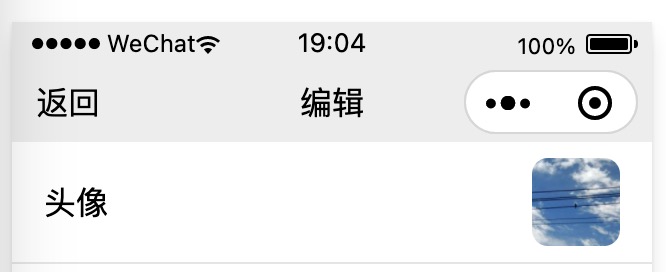
如图:
导航栏

难点与思路#

唯一算是难点的地方就是和胶囊按钮的适配,也就是要达到让胶囊按钮在导航栏内垂直方向居中的效果;
参考了下网上的一些方案,思路大同小异,主要是通过系统状态栏和胶囊按钮的布局参数来计算导航栏的高度和位置;
首先在app.js中获取计算所需的信息,然后计算出导航栏参数,最终在使用的页面中根据参数渲染出来。

代码#

app.js

1
2
3
4
5
6
7
8
9
10
11
12
13
14
15
16
17
18
19
20
21
22
23
24
25
26
27
28
29
30
31
// app.js
App({
globalData: {
// 系统信息和胶囊信息
systemInfo: undefined,
menuButton: undefined,
// 状态栏信息
statusBarInfo: {
sysBottom: undefined,
sysHeight: undefined,
appBottom: undefined,
appHeight: undefined
}
},
onLaunch(options) {
console.log('app.onLaunch...{}', JSON.stringify(options))

this.globalData.systemInfo = wx.getSystemInfoSync()
// console.log('systemInfo...', JSON.stringify(this.globalData.systemInfo))
this.globalData.menuButton = wx.getMenuButtonBoundingClientRect()
// console.log('menuButton...', JSON.stringify(this.globalData.menuButton))

// 计算状态栏信息
this.globalData.statusBarInfo.sysHeight = this.globalData.systemInfo.statusBarHeight
this.globalData.statusBarInfo.sysBottom = this.globalData.systemInfo.screenTop + this.globalData.systemInfo.statusBarHeight

this.globalData.statusBarInfo.appHeight = (((this.globalData.menuButton.bottom + this.globalData.menuButton.top) / 2) - this.globalData.systemInfo.statusBarHeight) * 2
this.globalData.statusBarInfo.appBottom = this.globalData.statusBarInfo.sysBottom + this.globalData.statusBarInfo.appHeight
console.log('statusBarInfo...', JSON.stringify(this.globalData.statusBarInfo))
}
})

custom-navigation-bar.js

1
2
3
4
5
6
7
8
9
10
11
12
13
14
15
16
17
18
19
20
21
22
23
24
25
26
27
28
29
30
31
32
33
34
35
36
37
38
39
40
41
42
43
44
45
46
47
48
49
50
51
52
53
54
55
56
57
58
59
60
61
62
63
64
65
66
67
68
69
70
71
72
73
74
75
76
77
78
79
80
// components/custom-navigation-bar/custom-navigation-bar.js
Component({
/**
* 组件的属性列表
*/
properties: {
// 这里定义了innerText属性,属性值可以在组件使用时指定
innerText: {
type: String,
value: 'default value',
},
title: {
type: String,
value: undefined
},
back: {
type: Boolean,
value: false
},
backgroundColor: {
type: String,
value: 'none'
}
},
/**
* 组件的初始数据
*/
data: {
// 状态栏信息
statusBarInfo: {
sysBottom: undefined,
sysHeight: undefined,
appBottom: undefined,
appHeight: undefined,
title: undefined,
back: false,
backgroundColor: 'none'
}
},
lifetimes: {
/**
* 在组件实例进入页面节点树时执行
*/
attached: function() {
console.log('custom-navigation-bar.lifetimes.attached...')

// 计算
this.calc()
},
/**
* 在组件实例被从页面节点树移除时执行
*/
detached: function() {
console.log('custom-navigation-bar.lifetimes.detached...')
},
},
/**
* 组件的方法列表
*/
methods: {
/**
* 计算
*/
calc: function () {
console.log('custom-nav.calc...')
// 设置状态栏信息
var statusBarInfo = getApp().globalData.statusBarInfo
statusBarInfo.title = this.properties.title
statusBarInfo.back = this.properties.back
// 背景颜色
statusBarInfo.backgroundColor = this.properties.backgroundColor
this.setData({ statusBarInfo })
console.log('statusBarInfo...', JSON.stringify(this.data.statusBarInfo))
},
onBackTap(e) {
console.log('onBackTap...')
wx.navigateBack()
}
}
})

custom-navigation-bar.json

1
2
3
4
{
"component": true,
"usingComponents": {}
}

custom-navigation-bar.wxml

1
2
3
4
5
6
7
8
9
10
11
12
13
14
15
16
17
18
19
20
21
22
<!-- 这是自定义组件的内部WXML结构 -->
<!-- 状态栏相关 -->
<view class="status-bar" style="background-color: {{backgroundColor}};">
<!-- 系统状态栏占位 -->
<view class="system-status-bar" style="height: {{statusBarInfo.sysHeight}}px;"></view>
<!-- 应用状态栏-->
<view class="app-status-bar" style="height: {{statusBarInfo.appHeight}}px;">
<!-- 左侧按钮 -->
<view class="app-status-bar-left">
<view wx:if="{{statusBarInfo.back}}" class="back" bind:tap="onBackTap">返回</view>
</view>
<!-- 中间部分 -->
<view class="app-status-bar-center">
<!-- 标题 -->
<view class="title">{{statusBarInfo.title}}</view>
</view>
<!-- 右侧占位 -->
<view class="app-status-bar-right"></view>
</view>
</view>

<slot></slot>

custom-navigation-bar.wxss

1
2
3
4
5
6
7
8
9
10
11
12
13
14
15
16
17
18
19
20
21
22
23
24
25
26
/* components/custom-navigation-bar/custom-navigation-bar.wxss */
/* 这里的样式只应用于这个自定义组件 */
.app-status-bar {
display: flex;
align-items: center;
}
.app-status-bar-left {
flex: 1;
display: flex;
}
.app-status-bar-center {
flex: 1;
display: flex;
justify-content: center;
}
.app-status-bar-right {
flex: 1;
}

.back {
padding-top: 6px;
padding-bottom: 6px;
padding-left: 8px;
margin-left: 4px;
padding-right: 32px;
}

使用示例

1
2
3
4
<!--pages/mine-edit/mine-edit.wxml-->
<custom-navigation-bar title="编辑" back="{{true}}"></custom-navigation-bar>
<scroll-view class="content-container" scroll-y="true" enable-flex="true">
</scroll-view>

同时需要在使用的页面对应的json配置文件中添加引用

1
2
3
4
5
{
"usingComponents": {
"custom-navigation-bar": "/components/custom-navigation-bar/custom-navigation-bar"
}
}

以及在app.json中添加配置

1
2
3
4
5
{
"window": {
"navigationStyle": "custom"
}
}

Python爬虫-百度热搜

记于:2023-11-26 上午
地点:浙江省·温州市·家里
天气:晴天

背景#

最近在学习大数据技术,需要一些数据实践一下,正好又想做个新闻类的个人服务/app,所以先抓取一些新闻类数据;
虽然也有不少公开的数据集,但还是想自己抓取下,顺便练下爬虫技术。

代码#

1
2
3
4
5
6
7
8
9
10
11
12
13
14
15
16
17
18
19
20
21
22
23
24
25
26
27
28
29
30
31
32
33
34
35
36
37
38
39
40
41
42
43
44
45
46
47
48
49
50
51
52
53
54
55
56
57
58
59
60
61
62
63
64
65
66
67
68
69
70
71
72
73
74
75
76
77
78
79
80
81
#!/usr/bin/python
# -*- coding: utf-8 -*-

# ------------------------------------------------------------------------------
# import

from datetime import datetime
from bs4 import BeautifulSoup, Comment
from logging.handlers import TimedRotatingFileHandler
import logging
import requests
import json
import os

# ------------------------------------------------------------------------------
# define

# 定义
datetime_text = datetime.now().strftime('%Y%m%d_%H%M%S_%s')
date_text = datetime.now().strftime('%Y%m%d')

DATA_DIR = '/var/lib/ysmspace-crawler/data/'
LOG_DIR = '/var/log/ysmspace-crawler/'
RESPONSE_DATA_FILE = DATA_DIR + 'response.{}.html'.format(datetime_text)
PURE_DATA_FILE = DATA_DIR + 'data.{}.txt'.format(datetime_text)
LOG_FILE = LOG_DIR + 'message.{}.log'.format(date_text)

SDATA_STARTS = 's-data:'

# ------------------------------------------------------------------------------
# init

# 目录
os.makedirs(DATA_DIR, exist_ok=True)
os.makedirs(LOG_DIR, exist_ok=True)

# 日志
log = logging.getLogger(__name__)
logging.basicConfig(filename=LOG_FILE, level=logging.DEBUG, format='%(asctime)s - %(levelname)s - %(message)s')

# 输出基本信息
log.info('define.datetime_text: %s', datetime_text)
log.info('define.date_text: %s', date_text)
log.info('define.DATA_DIR: %s', DATA_DIR)
log.info('define.LOG_DIR: %s', LOG_DIR)
log.info('define.RESPONSE_DATA_FILE: %s', RESPONSE_DATA_FILE)
log.info('define.PURE_DATA_FILE: %s', PURE_DATA_FILE)
log.info('define.LOG_FILE: %s', LOG_FILE)

log.info('init finish...')

# ------------------------------------------------------------------------------
# main

# 请求原始数据
url = 'https://top.baidu.com/board?tab=realtime'
log.info('response.url: %s', url)
response = requests.get(url)
log.info('response.status_code: %s', response.status_code)
with open(RESPONSE_DATA_FILE, 'w') as file:
file.write(response.text)
log.info('write response.text to %s', RESPONSE_DATA_FILE)

# 检查请求是否成功
if response.status_code == 200:
log.info('request success')
# 解析HTML内容
soup = BeautifulSoup(response.text, 'html.parser')

# 获取包含数据的注释
comment_sdata = soup.find_all(string=lambda text: isinstance(text, Comment) and text.strip().startswith(SDATA_STARTS))
# 提取数据
data_text = comment_sdata[0][len(SDATA_STARTS):]
log.info('parse data success')
with open(PURE_DATA_FILE, 'w') as file:
file.write(data_text)
log.info('write data to %s', PURE_DATA_FILE)
else:
log.info('request failed')

log.info('--------------------------------------------------------------------------------')

以上为第一版代码,后续可能进行优化,比如输出文件按日期分组到目录;

执行与输出#

执行

1
# python baidu-realtime.py

查看日志文件

1
# ll /var/log/ysmspace-crawler
1
2
total 2920
-rw-r--r-- 1 yeshimin wheel 414990 11 26 10:58 message.20231126.log

查看数据文件

1
# ll /var/lib/ysmspace-crawler/data
1
2
-rw-r--r--  1 yeshimin  wheel  45522 11 26 10:58 data.20231126_105801_1700967481.txt
-rw-r--r-- 1 yeshimin wheel 194748 11 26 10:58 response.20231126_105801_1700967481.html

补充#

微博热搜抓取代码逻辑类似

Java集成FFmpeg实现音频转码

记于:2023-10-24 下午
地点:浙江省·温州市·家里
天气:晴天

背景#

Java项目上的一个需求,需要对各种格式的音频文件进行转码,输出为mp3格式;
在了解到可选实现方案有【阿里云媒体处理MPS】和【自己使用FFmpeg】后,优先选择前者进行调研与测试;
在一番配置之后,【阿里云媒体处理MPS】能够成功实现自动转码,但是转码后的文件始终不能在项目的硬件设备中播放;
比对项目要求的转码参数:采样率-16kHz,单声道,比特率-32k,并且需要是CBR固定码率的模式;
注意到【阿里云媒体处理MPS】自动转码任务配置中,仅支持【ABR平均码率模式】,怀疑是这个导致(此时还没有找到合适的查看参数的工具(mediainfo));
在询问客服之后,得到的答复是,可以尝试手动调用API并指定相关参数的方式;
我是觉得手动调用API的方式比较麻烦,而且转码还要费用,索性选择自己使用FFmpeg进行转码;

尝试FFmpeg#

先是测试ffmpeg命令转码的方式;
首先指定了基本参数:
ffmpeg -hide_banner -i input.wav -ar 16000 -ab 32k -ac 1 output.mp3
输出文件在macos的【音乐】软件下可正常播放,但是查看其信息时发现码率始终为40k,与指定的32k参数不符;
在尝试各种参数及组合之后,始终不正确;
尝试参数大概有:

1
2
3
4
5
-vn 仅输出音频流
-b:a 32k 以不同形式指定码率
-c:a libmp3lame 明确指定mp3编码器
-af "volume=1" 指定音量不变
-map_metadata -1 -fflags +bitexact -flags:a +bitexact 各种去除元信息的参数

在各种尝试无果后,无意间发现一篇博客,标题为【解决ffmpeg生成mp3在ios上时长不对的问题】;
在博客中,作者提到了一个参数:-write_xing 0,同时发现这个问题是一个bug(见参考资料);
在添加了-write_xing 0参数后,转码成功,输出文件的码率也正确为32k(可以使用mediainfo查看);

最终命令为:
ffmpeg -hide_banner -i input.wav -ar 16000 -ab 32k -ac 1 -write_xing 0 -map_metadata -1 -fflags +bitexact -flags:a +bitexact -c:a libmp3lame output.mp3

参数解释如下:

1
2
3
4
5
6
7
8
9
10
11
`-hide_banner`: 隐藏 FFmpeg 的标志栏
`-i input.wav`: 指定输入文件为 "input.wav"
`-ar 16000`: 设置音频采样率为 16,000 Hz
`-ab 32k`: 设置音频比特率为 32 kbps(千位每秒)
`-ac 1`: 设置输出音频为单声道(单通道)
`-write_xing 0`: 禁用写入 Xing VBR 头部信息
`-map_metadata -1`: 删除输入文件的元数据(如标签信息)
`-fflags +bitexact`: 设置输入文件的比特精度标志
`-flags:a +bitexact`: 设置输出文件的音频比特精度标志
`-c:a libmp3lame`: 使用 libmp3lame 编码器来进行 MP3 压缩
`output.mp3`: 指定输出文件名为 "output.mp3"

Java集成#

发现没有直接用Java实现的ffmpeg库,要么是调用本地ffmpeg命令,要么是使用jni;
发现一个叫做【javacv】的库,可以使用Java调用ffmpeg命令,进行尝试了,由于定位不到ffmpeg命令,所以放弃了,改用Java的ProcessBuilder方式;
核心代码示例:

1
2
3
4
5
6
7
8
9
10
11
12
13
14
15
16
17
18
19
20
21
22
23
    @Override
public int transcoding(String input, String output) throws IOException, InterruptedException {
String[] ffmpegCommand = {
"/usr/bin/ffmpeg", // linux
// "/opt/homebrew/bin/ffmpeg", // macos
"-hide_banner",
"-i", input,
"-ar", "16000",
"-ab", "32k",
"-ac", "1",
"-write_xing", "0",
"-map_metadata", "-1",
"-fflags", "+bitexact",
"-flags:a", "+bitexact",
"-c:a", "libmp3lame",
output
};

ProcessBuilder pb = new ProcessBuilder(ffmpegCommand);
int exitCode = pb.inheritIO().start().waitFor();
log.info("transcoding.exitCode: {}", exitCode);
return exitCode;
}

还有一个功能点,是获取音频文件的时长;
原来的思路是,调用ffmpeg输出音频文件信息,但是发现输出无法被捕获,经查询发现ffmpeg默认输出到了stderr,而不是stdout;
在连同stderr一起输出后,依然无法捕获,经过一番搜索与尝试,定位到问题在ProcessBuilder的重定向逻辑上;
如果有重定向的逻辑,调用方式为(/bin/sh):
ProcessBuilder pb = new ProcessBuilder("/bin/sh", "-c", String.join(" ", ffmpegCommand));
核心代码示例:

1
2
3
4
5
6
7
8
9
10
11
12
13
14
15
16
17
18
19
20
21
22
23
24
25
26
27
28
29
30
31
32
33
34
35
36
37
38
39
40
41
42
43
44
45
46
47
48
49
50
51
52
53
54
55
56
57
    private Double getAudioLength(String input) {
String infoFile = input + ".info";
String[] ffmpegCommand = {
"/usr/bin/ffmpeg", // linux
// "/opt/homebrew/bin/ffmpeg", // macos
"-hide_banner",
"-i", input,
"2>&1", "|", "cat",
">", infoFile
};

Double durationInSeconds = null; // 初始化为 null

try {
// ProcessBuilder pb = new ProcessBuilder(ffmpegCommand);
// 如果有重定向的逻辑,一定要这样调用!!!
ProcessBuilder pb = new ProcessBuilder("/bin/sh", "-c", String.join(" ", ffmpegCommand));
Process process = pb.inheritIO().start();
int exitCode = process.waitFor();
log.info("exitCode: {}", exitCode);

// 读取infoFile,提取音频时长信息
List<String> lines = FileUtil.readLines(infoFile, "UTF-8");
for (String line : lines) {
if (line.contains("Duration:")) {
// 提取包含 "Duration:" 的行
String durationLine = line.trim();
String durationPart = durationLine.split("Duration:")[1].trim().split(",")[0].trim();

// 解析时长信息,转换为 Double,精确到毫秒
String[] timeParts = durationPart.split(":");
double hours = Double.parseDouble(timeParts[0]);
double minutes = Double.parseDouble(timeParts[1]);
double seconds = Double.parseDouble(timeParts[2]);
double milliseconds = (hours * 3600 + minutes * 60 + seconds) * 1000;

durationInSeconds = milliseconds / 1000.0; // 转换为秒
}
}

process.destroy();

if (durationInSeconds != null) {
log.info("音频时长(秒,精确到毫秒):{}", durationInSeconds);
} else {
log.info("未找到音频时长信息。");
}
} catch (IOException | InterruptedException e) {
e.printStackTrace();
} catch (Exception e) {
e.printStackTrace();
} finally {
FileUtil.del(infoFile);
}

return durationInSeconds;
}

Docker部署#

由于项目在非本地环境是以Docker形式部署,所以又出现问题了;
ffmpeg命令安装的问题,如果是安装到宿主机上,担心跟环境绑定得太死;
所以选择使用Dockerfile将其安装到容器中;
但是使用原镜像(pig4cloud/java:8-jre)无法直接安装ffmpeg;
经过一番搜索与测试,最终使用(openjdk:8-jdk-alpine)镜像,同时配置源,ffmpeg安装成功;
Dockerfile示例:

1
2
3
4
5
6
7
8
9
10
11
12
13
14
15
16
17
18
19
20
21
22
23
24
25
26
27
28
FROM openjdk:8-jdk-alpine

MAINTAINER yeshimin

ENV TZ=Asia/Shanghai
ENV JAVA_OPTS="-Xms512m -Xmx1024m -Djava.security.egd=file:/dev/./urandom"

RUN ln -sf /usr/share/zoneinfo/$TZ /etc/localtime && echo $TZ > /etc/timezone

RUN mkdir -p /xxx-module

RUN mkdir -p /tmp/xxx-audio

RUN echo "http://mirrors.aliyun.com/alpine/v3.6/main" > /etc/apk/repositories \
&& echo "http://mirrors.aliyun.com/alpine/v3.6/community" >> /etc/apk/repositories \
&& apk update upgrade \
&& apk add --no-cache procps unzip curl bash tzdata \
&& apk add yasm && apk add ffmpeg \
&& ln -sf /usr/share/zoneinfo/Asia/Shanghai /etc/localtime \
&& echo "Asia/Shanghai" > /etc/timezone

WORKDIR /xxx-module

EXPOSE 10003

ADD ./target/xxx-module-biz.jar ./

CMD java $JAVA_OPTS -jar xxx-module-biz.jar

控制输出文件大小#

要求:在采样率、码率、声道数固定的情况下,控制输出文件的大小不超过60K;
经过搜索,可以使用-fs参数来控制输出文件的大小;
但是实际执行之后会报错:

1
2
3
# ffmpeg -hide_banner -i caiqin.wav -ar 16000 -ab 32k -ac 1 \
-write_xing 0 -map_metadata -1 -fflags +bitexact -flags:a +bitexact \
-c:a libmp3lame -fs 60k caiqin.mp3
1
2
3
4
5
6
7
8
9
10
11
12
13
14
15
16
Guessed Channel Layout for Input Stream #0.0 : stereo
Input #0, wav, from 'caiqin.wav':
Duration: 00:50:07.91, bitrate: 1411 kb/s
Stream #0:0: Audio: pcm_s16le ([1][0][0][0] / 0x0001), 44100 Hz, 2 channels, s16, 1411 kb/s
File 'caiqin.mp3' already exists. Overwrite? [y/N] y
Stream mapping:
Stream #0:0 -> #0:0 (pcm_s16le (native) -> mp3 (libmp3lame))
Press [q] to stop, [?] for help
Output #0, mp3, to 'caiqin.mp3':
Stream #0:0: Audio: mp3, 16000 Hz, mono, s16p, 32 kb/s
Metadata:
encoder : Lavc libmp3lame
[out#0/mp3 @ 0x6000016b80c0] Error muxing a packet.0kbits/s speed=N/A
size= 59kB time=00:00:15.15 bitrate= 31.7kbits/s speed= 307x
video:0kB audio:59kB subtitle:0kB other streams:0kB global headers:0kB muxing overhead: 0.033307%
Conversion failed!

根据输出的第14行信息,应该是特定的采样率、码率、声道数下,转码后所需的文件大小超出指定的60K(展示为59kB)所导致;

在对时长进行控制后(使用-t参数),可以正常转码:

1
2
3
# ffmpeg -hide_banner -i caiqin.wav -ar 16000 -ab 32k -ac 1 \
-write_xing 0 -map_metadata -1 -fflags +bitexact -flags:a +bitexact \
-c:a libmp3lame -fs 60k -t 14 caiqin.mp3
1
2
3
4
5
6
7
8
9
10
11
12
13
14
Guessed Channel Layout for Input Stream #0.0 : stereo
Input #0, wav, from 'caiqin.wav':
Duration: 00:50:07.91, bitrate: 1411 kb/s
Stream #0:0: Audio: pcm_s16le ([1][0][0][0] / 0x0001), 44100 Hz, 2 channels, s16, 1411 kb/s
File 'caiqin.mp3' already exists. Overwrite? [y/N] y
Stream mapping:
Stream #0:0 -> #0:0 (pcm_s16le (native) -> mp3 (libmp3lame))
Press [q] to stop, [?] for help
Output #0, mp3, to 'caiqin.mp3':
Stream #0:0: Audio: mp3, 16000 Hz, mono, s16p, 32 kb/s
Metadata:
encoder : Lavc libmp3lame
size= 55kB time=00:00:13.97 bitrate= 32.3kbits/s speed= 230x
video:0kB audio:55kB subtitle:0kB other streams:0kB global headers:0kB muxing overhead: 0.035521%

在以上方案实现后,偶然发现ffmpeg指定输出文件大小后,虽然转码超过指定大小时依然会报错,但还是会自动截断并生成指定大小的文件;
所以不需要像上面方案那么绕了,直接执行一次,结果就满足了,只是exitCode返回非0而已;

问题处理-mp3文件附带封面导致指定大小参数失效#

在对某个音频文件进行转码时,发现转码后的文件大小没有被自动截断,执行信息如下:

1
2
3
# ffmpeg -hide_banner -i xx.mp3 -ar 16000 -ab 32k -ac 1 \
-write_xing 0 -map_metadata -1 -fflags +bitexact -flags:a +bitexact \
-c:a libmp3lame -fs 60k yy60k.mp3
1
2
3
4
5
6
7
8
9
10
11
12
13
14
15
16
17
18
19
20
21
22
23
24
25
26
27
28
29
30
31
32
33
34
35
36
37
38
39
40
41
42
43
44
45
46
47
48
49
50
51
52
53
54
55
56
57
58
59
60
61
62
63
64
65
66
67
68
69
70
71
72
73
74
75
Input #0, mp3, from 'xx.mp3':
Metadata:
encoder : Lavf58.76.100
comment : 163 key(Don't modify):cEgtqHxwpdRKcBCRPBlPkg2DgcBlNoDaE7DLI/2UHqz2lBjNbotyjPpbetGfYEpSHze+evmlulEGcCplT1L5nqhLHeK3XTcyEgnHwW9Ow1JY2+gbzf04bwvVKdfiIWN3LL/zdLfLxvlVsPvobu6nWgvQC6Nw7MGw5umsTeRPyYHy4w5YVSD8VHyFEo0eQKeaubW3qofyzOlJ0gYXQlMHN4RCn1jpkefyBGBCOcjKE
album : 大风遇到了雨
title : 不找了
artist : 隔壁老樊
album_artist : 隔壁老樊
disc : 01
track : 1
Duration: 00:04:11.81, start: 0.023021, bitrate: 128 kb/s
Stream #0:0: Audio: mp3, 48000 Hz, stereo, fltp, 128 kb/s
Metadata:
encoder : Lavc58.13
Stream #0:1: Video: mjpeg (Baseline), yuvj420p(pc, bt470bg/unknown/unknown), 1080x1920 [SAR 72:72 DAR 9:16], 90k tbr, 90k tbn (attached pic)
Metadata:
comment : Other
Stream mapping:
Stream #0:1 -> #0:0 (mjpeg (native) -> png (native))
Stream #0:0 -> #0:1 (mp3 (mp3float) -> mp3 (libmp3lame))
Press [q] to stop, [?] for help
[swscaler @ 0x128378000] deprecated pixel format used, make sure you did set range correctly
[swscaler @ 0x128378000] [swscaler @ 0x118008000] No accelerated colorspace conversion found from yuv420p to rgb24.
[swscaler @ 0x128378000] [swscaler @ 0x128388000] No accelerated colorspace conversion found from yuv420p to rgb24.
[swscaler @ 0x128378000] [swscaler @ 0x128398000] No accelerated colorspace conversion found from yuv420p to rgb24.
[swscaler @ 0x128378000] [swscaler @ 0x1283a8000] No accelerated colorspace conversion found from yuv420p to rgb24.
[swscaler @ 0x128378000] [swscaler @ 0x1283b8000] No accelerated colorspace conversion found from yuv420p to rgb24.
[swscaler @ 0x128378000] [swscaler @ 0x1283c8000] No accelerated colorspace conversion found from yuv420p to rgb24.
[swscaler @ 0x128378000] [swscaler @ 0x1283d8000] No accelerated colorspace conversion found from yuv420p to rgb24.
[swscaler @ 0x128378000] [swscaler @ 0x1283e8000] No accelerated colorspace conversion found from yuv420p to rgb24.
[swscaler @ 0x128378000] [swscaler @ 0x1283f8000] No accelerated colorspace conversion found from yuv420p to rgb24.
[swscaler @ 0x110008000] deprecated pixel format used, make sure you did set range correctly
[swscaler @ 0x110008000] [swscaler @ 0x118008000] No accelerated colorspace conversion found from yuv420p to rgb24.
[swscaler @ 0x110008000] [swscaler @ 0x118018000] No accelerated colorspace conversion found from yuv420p to rgb24.
[swscaler @ 0x110008000] [swscaler @ 0x118028000] No accelerated colorspace conversion found from yuv420p to rgb24.
[swscaler @ 0x110008000] [swscaler @ 0x118038000] No accelerated colorspace conversion found from yuv420p to rgb24.
[swscaler @ 0x110008000] [swscaler @ 0x118048000] No accelerated colorspace conversion found from yuv420p to rgb24.
[swscaler @ 0x110008000] [swscaler @ 0x118058000] No accelerated colorspace conversion found from yuv420p to rgb24.
[swscaler @ 0x110008000] [swscaler @ 0x118068000] No accelerated colorspace conversion found from yuv420p to rgb24.
[swscaler @ 0x110008000] [swscaler @ 0x118078000] No accelerated colorspace conversion found from yuv420p to rgb24.
[swscaler @ 0x110008000] [swscaler @ 0x118088000] No accelerated colorspace conversion found from yuv420p to rgb24.
[swscaler @ 0x130008000] deprecated pixel format used, make sure you did set range correctly
[swscaler @ 0x130008000] [swscaler @ 0x118088000] No accelerated colorspace conversion found from yuv420p to rgb24.
[swscaler @ 0x130008000] [swscaler @ 0x118008000] No accelerated colorspace conversion found from yuv420p to rgb24.
[swscaler @ 0x130008000] [swscaler @ 0x118018000] No accelerated colorspace conversion found from yuv420p to rgb24.
[swscaler @ 0x130008000] [swscaler @ 0x118028000] No accelerated colorspace conversion found from yuv420p to rgb24.
[swscaler @ 0x130008000] [swscaler @ 0x118038000] No accelerated colorspace conversion found from yuv420p to rgb24.
[swscaler @ 0x130008000] [swscaler @ 0x118048000] No accelerated colorspace conversion found from yuv420p to rgb24.
[swscaler @ 0x130008000] [swscaler @ 0x118058000] No accelerated colorspace conversion found from yuv420p to rgb24.
[swscaler @ 0x130008000] [swscaler @ 0x118068000] No accelerated colorspace conversion found from yuv420p to rgb24.
[swscaler @ 0x130008000] [swscaler @ 0x118078000] No accelerated colorspace conversion found from yuv420p to rgb24.
[swscaler @ 0x118078000] deprecated pixel format used, make sure you did set range correctly
[swscaler @ 0x118078000] [swscaler @ 0x118088000] No accelerated colorspace conversion found from yuv420p to rgb24.
[swscaler @ 0x118078000] [swscaler @ 0x118008000] No accelerated colorspace conversion found from yuv420p to rgb24.
[swscaler @ 0x118078000] [swscaler @ 0x118018000] No accelerated colorspace conversion found from yuv420p to rgb24.
[swscaler @ 0x118078000] [swscaler @ 0x118028000] No accelerated colorspace conversion found from yuv420p to rgb24.
[swscaler @ 0x118078000] [swscaler @ 0x118038000] No accelerated colorspace conversion found from yuv420p to rgb24.
[swscaler @ 0x118078000] [swscaler @ 0x118048000] No accelerated colorspace conversion found from yuv420p to rgb24.
[swscaler @ 0x118078000] [swscaler @ 0x118058000] No accelerated colorspace conversion found from yuv420p to rgb24.
[swscaler @ 0x118078000] [swscaler @ 0x118068000] No accelerated colorspace conversion found from yuv420p to rgb24.
[swscaler @ 0x118078000] [swscaler @ 0x118098000] No accelerated colorspace conversion found from yuv420p to rgb24.
[vost#0:0/png @ 0x126f0cef0] Frame rate very high for a muxer not efficiently supporting it.
Please consider specifying a lower framerate, a different muxer or setting vsync/fps_mode to vfr
Output #0, mp3, to 'yy60k.mp3':
Stream #0:0: Video: png, rgb24(pc, gbr/unknown/unknown, progressive), 1080x1920 [SAR 1:1 DAR 9:16], q=2-31, 200 kb/s, 90k fps, 90k tbn (attached pic)
Metadata:
comment : Other
encoder : Lavc png
Stream #0:1: Audio: mp3, 16000 Hz, mono, fltp, 32 kb/s
Metadata:
encoder : Lavc libmp3lame
[out#0/mp3 @ 0x6000017a80c0] Error muxing a packet02:27.60 bitrate= 0.0kbits/s speed= 288x
frame= 1 fps=0.0 q=-0.0 Lsize= 1061kB time=00:04:11.75 bitrate= 34.5kbits/s speed= 287x
video:78kB audio:983kB subtitle:0kB other streams:0kB global headers:0kB muxing overhead: 0.003959%
Conversion failed!

可以看到里面有一个图片流:Stream #0:1 -> #0:0 (mjpeg (native) -> png (native)),怀疑是这个差异导致的;
一开始把图片也当作元信息,原来使用的参数中已经包含-map_metadata -1,用于去除元信息,为什么会无效;
查询了解到音频流中的封面图片属于数据流的一部分,不能算是常规的元信息;
然后使用了-map 0:a参数,指定只输出音频流,最终问题得到解决;

参考资料#

记·桂林游记

记于:2023-10-01 下午
地点:浙江省·温州市·家里
天气:阴雨

阿德出去长途旅游了,几天后我也出去了,09月26日于桂林汇合;
本来想着没做过飞机,正好可以坐一下飞机,而且看起来价格和高铁也差不多,
都是600上下,没想到机票付款页看到还要燃油费等费用,最终还是选择了高铁~
坐了8小时左右的高铁,晚上6点半左右到达桂林;
26日晚上住在伯曼酒店;
晚上出去买了点小吃,买多了,没吃完~

27日上午,去到一个古镇逛了逛,这里有竹筏漂流,80元一个人,没报;
这里有战斗机在天上飞,声音好大,手机拍不大清;
下午,游玩漓江,报了个团,300元一个人~然后去门店等待,11点半左右出发;
先坐大巴到岸边,一路上导游讲解、洗脑~讲广西/桂林经济不好,很不容易,为国家付出了很多,全国都欠它的,意思是要大家多消费~
第一个项目是坐竹筏,4人一组,没抢到前排,可惜;注意到竹筏居然都是金属的~后面装了个引擎~
上岸后准备吃饭,导游把队伍引导至一家饭店,说是附近只有这一家;
和阿德进去看了下菜单价格,就出来了,准备去周边再找找,导游还尝试劝说,生怕我们发现周边有更便宜的;
在门口有很多老奶奶推销水果、栗子等,我买了栗子,以免万一真找不到其他饭店~
没走多远就发现一家米粉店,只要10元一碗,还不错,就在这吃了;期间还买了一份水果;
吃完坐了一会,然后集合去坐游轮,游轮还是挺大的,没记错的话好像是四星级的;
然后就是吃吃栗子和水果,拍拍照,看看风景,偶尔船上导游讲解一下;
再次上岸后,又坐大巴,接下来是去一个少数民族寨子,应该是侗族;
有个寨子里的导游带着讲解,喝了米酒,刚入口感觉就是喝水,稍后上来一点酒气,之前没喝过;
最终往里走,就是卖银器的地方,没什么人,基本上就是这一团的人;
好说歹说反正我们就是不买,其他人有几个买的;里面逛了逛,待了挺久的,最终导游带着从另一条路线出去了;
然后就是坐大巴回程了,在车上导游分了点零食,以为只是简简单单分点零食,没想到最终还是推销~当然还是没买~
想起来旅游团居然没到阳朔,就是20元人民币上的风景地;
晚上到了某宾馆,出去吃了啤酒鱼,还不错,有点饱~

28日上午,准备去20元人民币上的风景地,因为前一天坐过竹筏,这次就不坐了,岸边拍了拍照;
接下来租了两辆电瓶车,30元每辆,押金100,车是改过的,表显最高25,实际上速度估计有50以上;随便逛,挺有意思的;
上午没什么太阳,很是凉快惬意,中午太阳出来了就有些热了;
中午吃的汉堡快餐,味道也不错;然后就开回去还车了;

然后就是准备上高速回家了,因为29日开始高速免费,怕堵车,所以早点回去;
全程高速1300多公里,原计划是两天开回去,中间在服务区休息一晚;
28日下午在休息区吃了面,然后继续出发,刚上路前方就发生车祸,堵了有半小时以上,一路上有多起大小车祸,所幸看起来没有人员伤亡;
后来阿德非要连夜开回去,总耗时18个小时左右,开车时间13个小时左右,大概是从下午1点多开到第二天早上6点多到家;
实在是危险,我一个坐车的,怕出事车上也没睡,真是坐车的比开车的都累,不过还好,最终平安到家了;
夜晚高速行车,也是不一样的一种体验,挺有意思的~后半夜路上车也比较少;

29日到家后,直接躺下就睡了,睡到中午。


某古镇
某古镇
竹筏山水
竹筏山水
竹筏山水
侗族寨子表演
侗族寨子银砖
侗族寨子银店
侗族寨子银匠
20元人民币风景地
20元人民币风景地

记·《乌合之众》读后感

记于:2023-09-14 下午
地点:浙江省·温州市·家里
天气:多云·晴

有些书还是要一口气读完,最好是在有兴趣的开始一段时间内迅速读完,不然会失去耐心和兴趣。

这本书主要写个人与群体,个人用于与群体做对比,最主要还是群体方面的研究,包括群体的性格、思想观念以及各种群体的特点等;
叙述方面多少有些啰嗦、枯燥,知识密度低了点,以至于断断续续快读完了仿佛也没学到什么,或许也跟内容本就属于较抽象的东西有关;
最后章节有总结,再回过头来看看书本简介,大致讲的是这些吧:

1
2
3
个体与群体的各方面差异巨大,个体融入/形成群体之后,个性化的东西将(逐渐)丧失;
群体往往表现出“愚钝/麻木”、“暴力”、“情绪化”、“易受操控”等特性;
操控群体,就要抓住群体的情绪,给予满足(哪怕是欺骗),然后“驯养”(书中简介用到这个词,不得不承认这词用的很精髓);

不过,难道所有的群体(最终)都会有“暴民”属性吗,我总希望有例外。


接下来想看看《空间的诗学》,很多年前就想看这本书了,书买来也有一两年了,这次,干它。

记·摩旅·回家

记于:2023-07-22 晚上
地点:浙江省·温州市
天气:阴雨

开销:
加油:76
总计:76

此次摩旅开销总计:189.8+215.71+259.40+76=740.91

早上应该是6点多出发的,走京福线/104国道,下午4点多到家;
早上就吃了一根玉米香肠,中午没吃,开到下午一共9个多小时,400公里左右,第一次开这么远,突然感觉自己好牛逼,就是肩背和腰部痛的不行,都有点想换车了;
今天实实在在体验了把什么叫缺德导航,开到台州,剩余路程一直停留在181km,导航的路线不知对不对,重新导航都没用,最后连导航记录都没保存,淦;
后面的路程用的是百度导航;
好像是在台州,有一长段桥上的路很好开,一个个九十上百的速度,一度以为自己是不是不小心上了高速~;
今天感觉差点要撞了,记得应该是在冲最后几秒绿灯,见左边一辆超级大卡车准备掉头,我还特意按了几声喇叭,按照以往经验,这种大块头肯定是要等一等的,所以我也基本没减速,几乎是刚过路口,反应过来,这厮居然在掉头,几乎同一时间,右边一辆轿车飞速驶来准备要右转,但是这速度对于转弯来说有点快了,我整个人都震惊恍惚了一下,感觉肾上腺都分泌出来了,一拧油门就从三五米宽的中间冲过去了,然后就是有些后怕了,看了下后视镜,这两个卧龙凤雏好像也刹停了,为什么不撞起来呢~想骂人;
开车还是要小心,不过话虽如此,即便自己猥琐着开,比如不冲绿灯,但是在路上久了出状况的概率肯定也是越来越大的,特别是骑摩托,毕竟肉包铁,除了小心慢慢开和穿护具之外,剩下的真就是看运气了~;
当时的一瞬间,脑海里有闪过自己飞出去的画面,而且是穿护具的,难道是因为穿了护具,所以潜意识里想飞一次?~;
还有件事想不起来了,可能是昨晚睡觉时蟑螂爬我手上,我被吓得从床上弹起来这件事~;
第一次的摩旅就结束了,有机会继续。

记·摩旅·游玩

记于:2023-07-21 晚上
地点:浙江省·杭州市·萧山区·凤盛大酒店
天气:阴雨

开销:
住宿:92
公交地铁:3+3+6+2+2+6+8+3
充电宝:3+12
午餐:17.90
西湖游船:70
晚餐:29.50
买水:2
总计:259.40

早上8点出发,下午6点左右回来;上午去下沙,下午去西湖;
上午坐第一趟公交就坐反了,还好发现及时,两三站下车了~;
到了下沙,只是去杭职和计量门口拍了个照,不让进;
中午开了个工作会议,然后在便利店吃了份快餐;
下午去了西湖,70块钱买票坐了游船到湖中的岛,没啥好玩的,随便逛了逛,拍了点照就回岸上了;
西湖边的充电宝价格太贵了,比景点外的贵了一倍,一个半多小时花了12块钱;
晚上吃麻辣烫点多了,有点撑~
不知道为什么,晚上头有点痛,今天阴雨天,而且基本上都在坐车,不至于中暑,难道新冠?~
把最后一瓶藿香正气液喝掉了;
明天回家,挑战看看一天时间直接开到家。


杭州西湖